> For the complete documentation index, see [llms.txt](https://blueskytechco.gitbook.io/alukas-shopify/llms.txt). Markdown versions of documentation pages are available by appending `.md` to page URLs; this page is available as [Markdown](https://blueskytechco.gitbook.io/alukas-shopify/product-page-settings/setup-external-affiliate-product.md).
# Setup External/Affiliate product
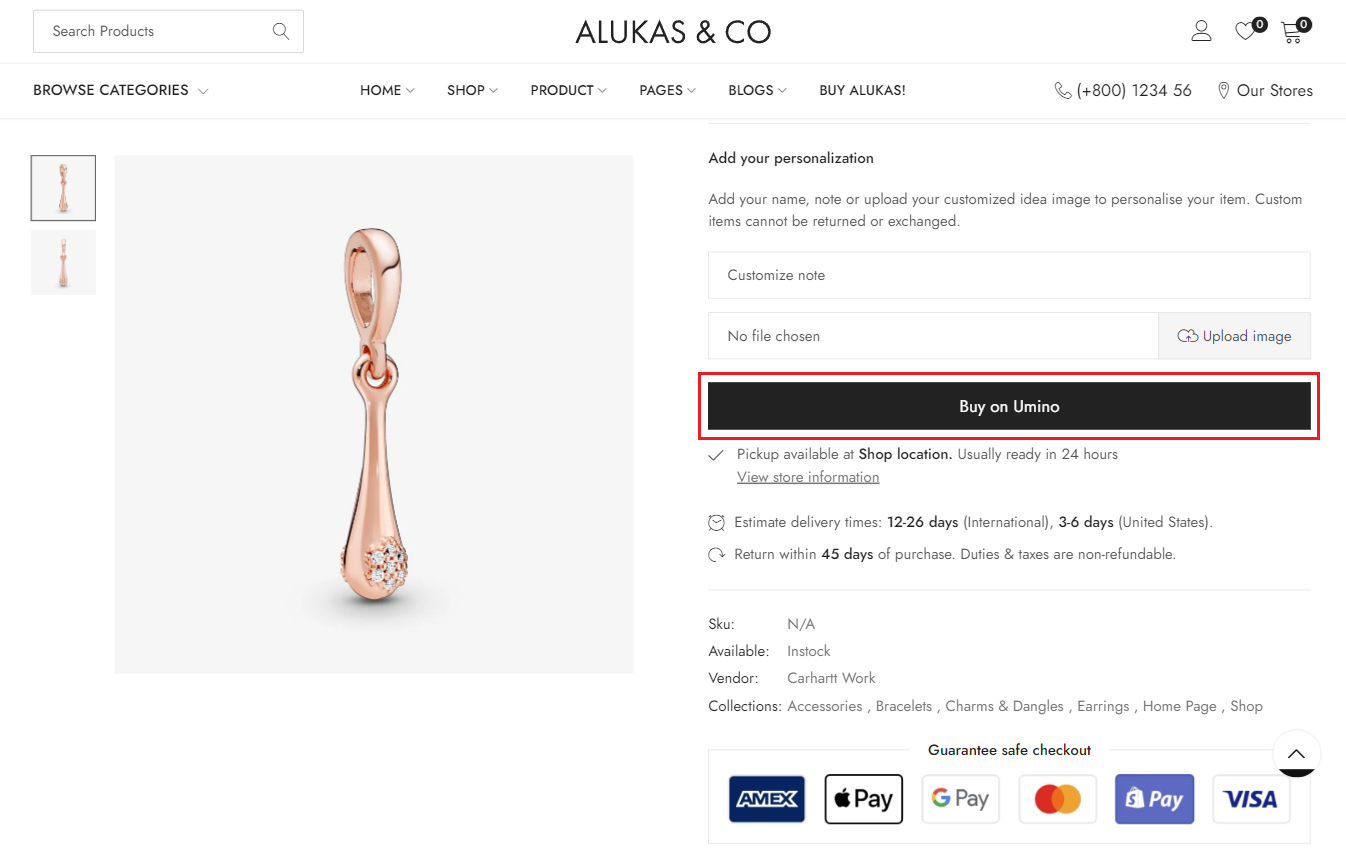
External / Affiliate products are not as commonly used as other types of product in Shopify. However, **Alukas** theme supports this special type of product. You may want to redirect customers to other sites that sell the products, and you will need to create external / affiliate products for this purpose. To setup External/Affiliate product, please follow these steps:
{% hint style="success" %}
**Step 1:** Create metafields
To create metafields for External/Affiliate product, please follow this [article](https://blueskytechco.gitbook.io/alukas-shopify/product-page-settings/pages/dWFgDBHIELFK4Xqe5Rnd#id-4.-external-affiliate).
{% endhint %}
{% hint style="success" %}
**Step 2:** Setup product
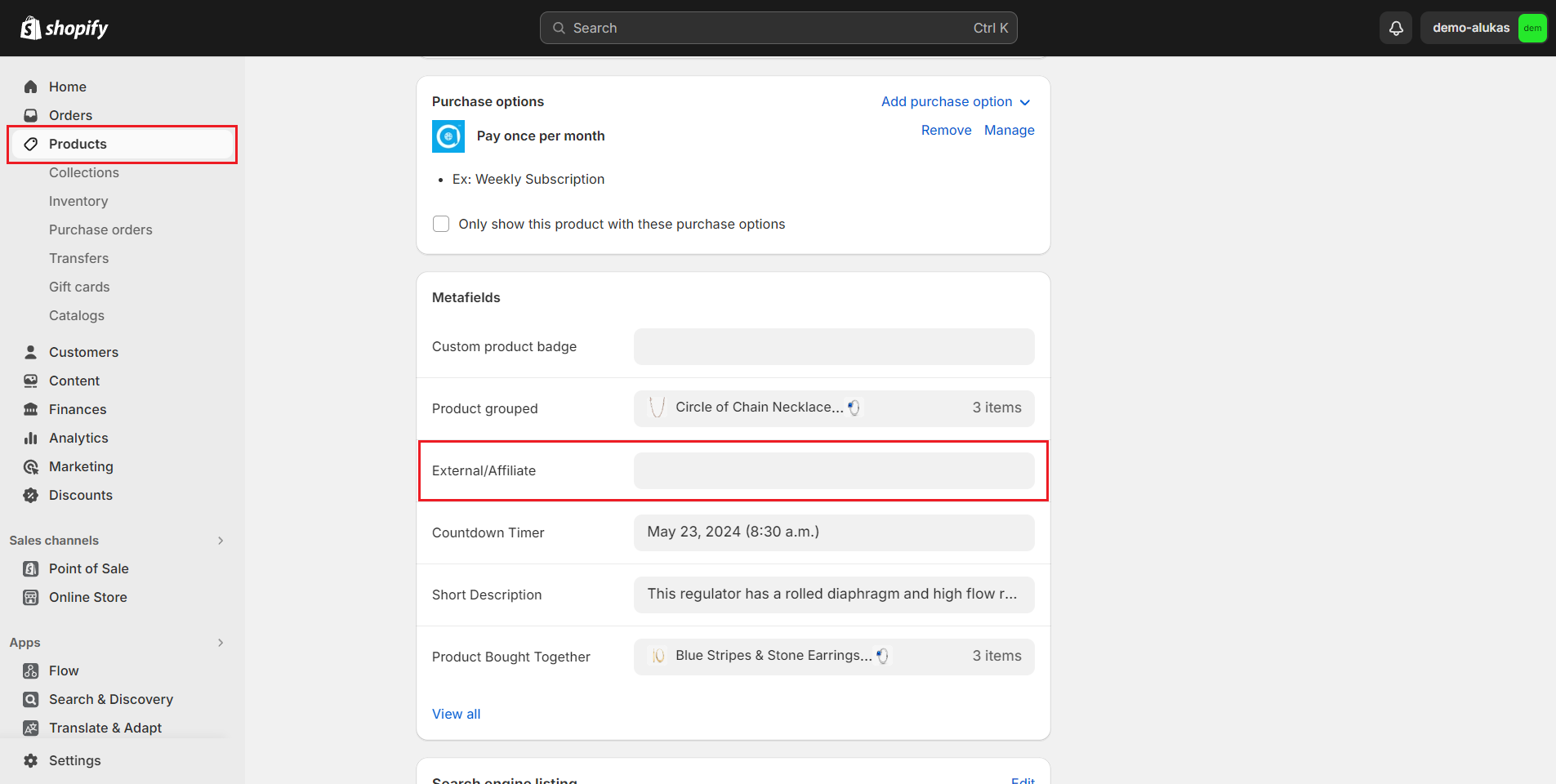
1. From your admin, go to **Products** and select the products to setup
2. Scroll down to **Metafields** and click to External/Affiliate
3. Click to **Select entry** and **Create new entry**
{% endhint %}
{% hint style="success" %}
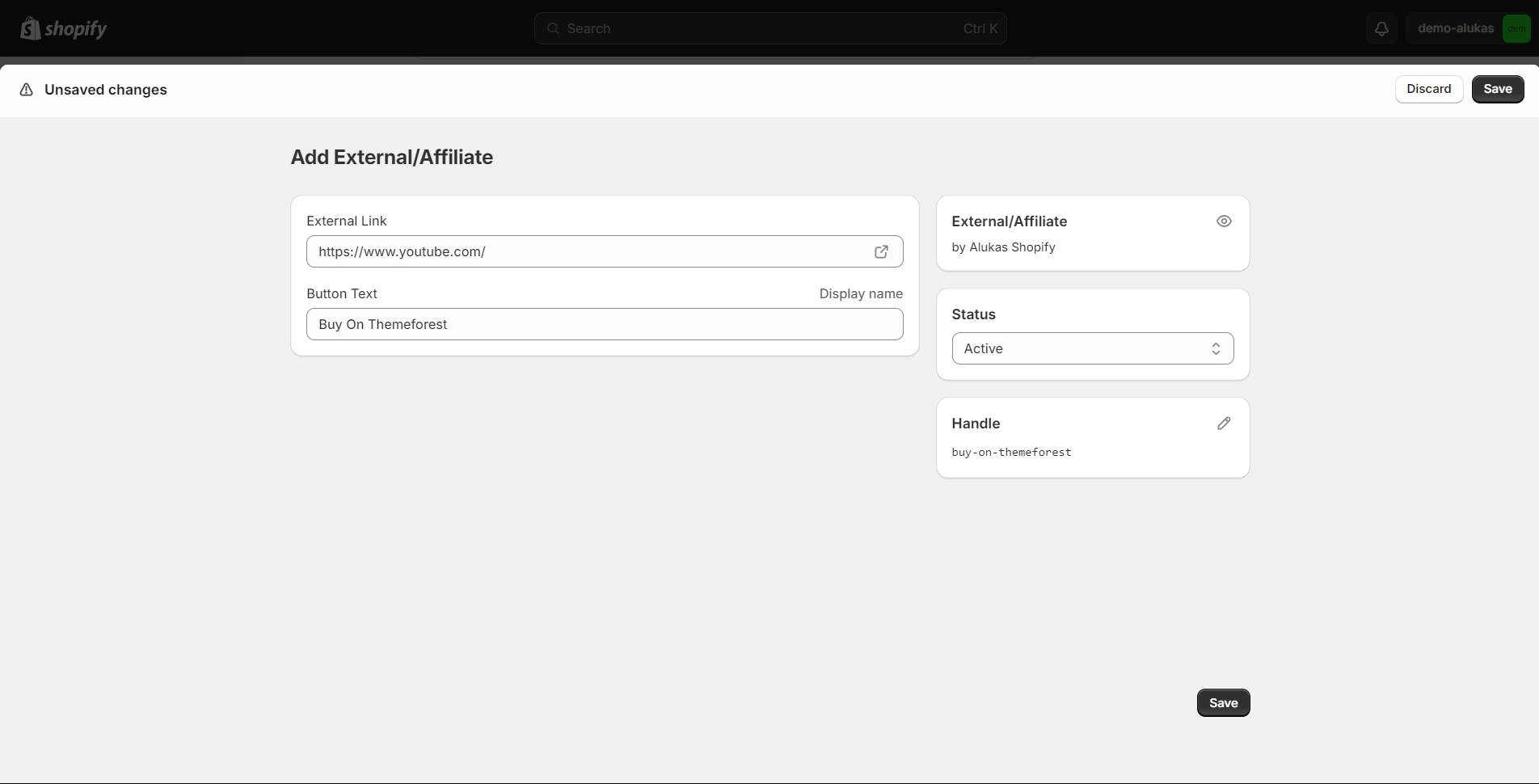
4\. Add link of product to **External Link** and Add the text of the button in **Button Text**
5\. Click **Save,** **Preview** this product and you can see the result
{% endhint %}