> For the complete documentation index, see [llms.txt](https://blueskytechco.gitbook.io/alukas-shopify/llms.txt). Markdown versions of documentation pages are available by appending `.md` to page URLs; this page is available as [Markdown](https://blueskytechco.gitbook.io/alukas-shopify/frequently-asked-questions/how-to-setup-pre-order-products.md).
# How to setup pre-order products?
How to change Pre - Order button to Add to cart button on product page. Instead of Add to cart button it is showing Pre-Order button, why is that?
Pre-order products are products that will continue to be sold when they are out of stock. With pre-order products, they will be still visible on store and the button "Add to cart" of these products will be change to "Pre-order" instead of a "Sold out" button.
{% hint style="success" %}
**To setup a pre-order products, please follow these steps:**
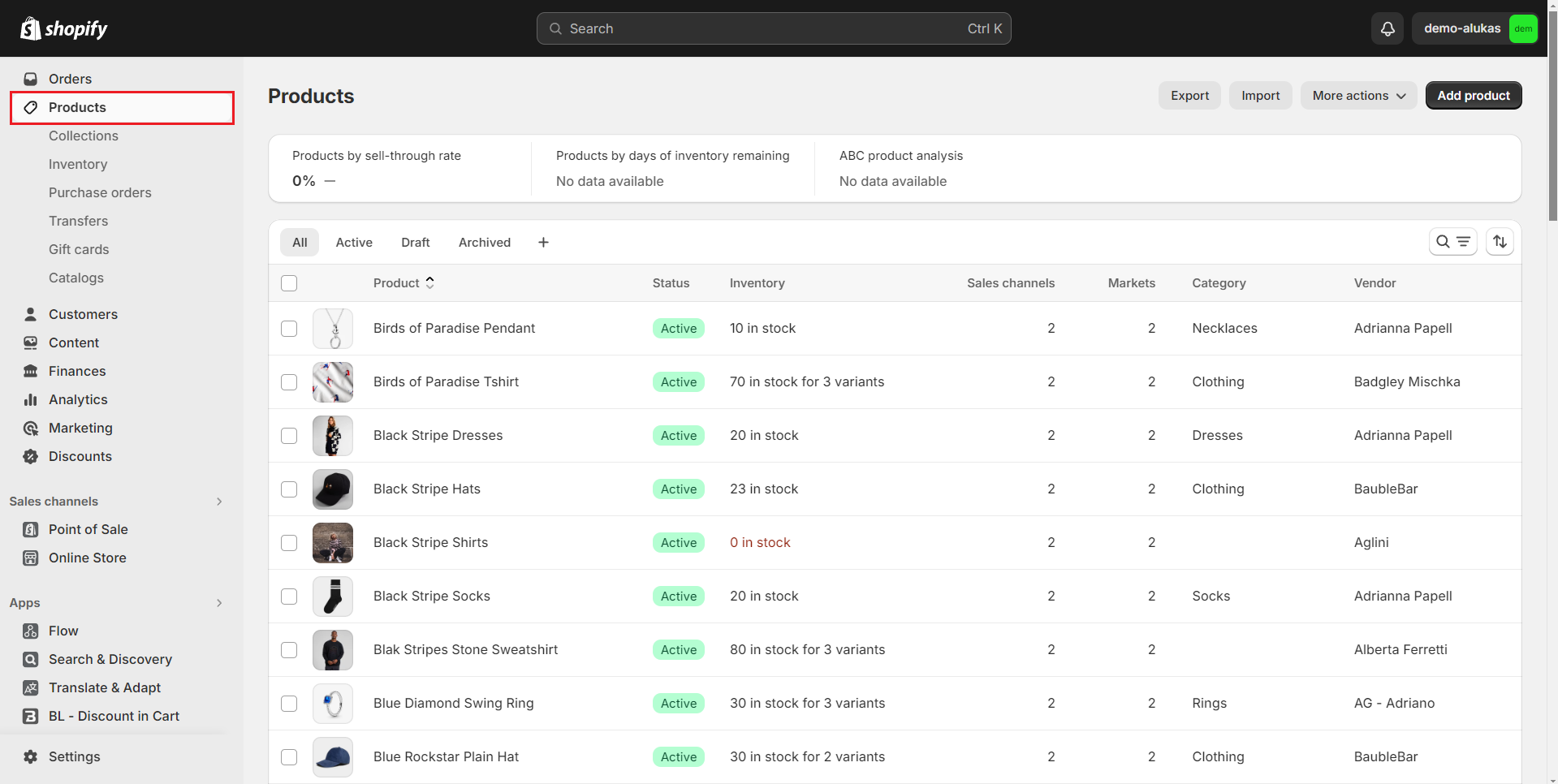
1. From your admin, go to **Products**
2. Click to the product you want to edit
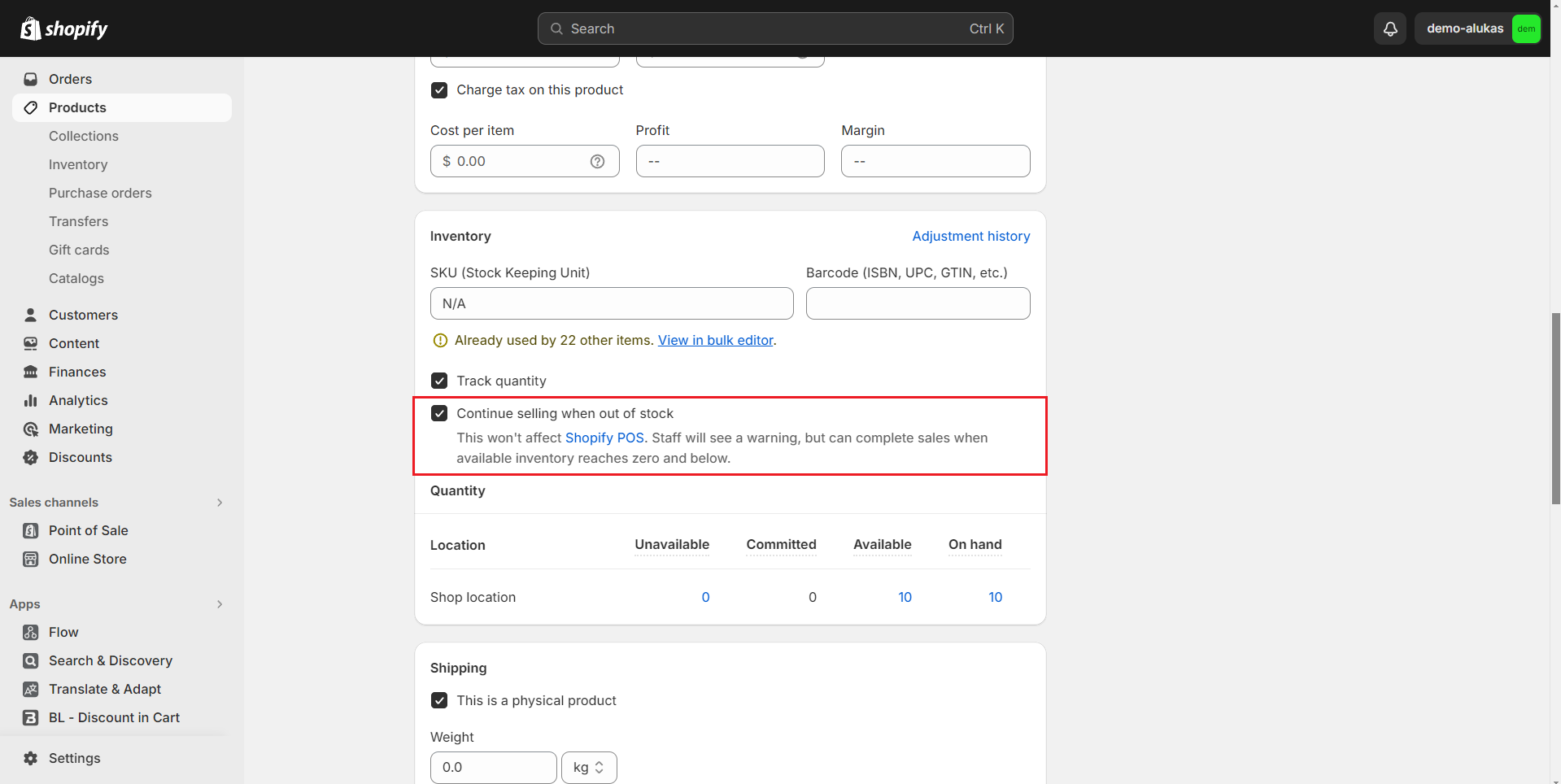
3. Scroll down to **Inventory** section, tick to **"Continue selling when out of stock"** checkbox
{% endhint %}