> For the complete documentation index, see [llms.txt](https://blueskytechco.gitbook.io/alukas-shopify/llms.txt). Markdown versions of documentation pages are available by appending `.md` to page URLs; this page is available as [Markdown](https://blueskytechco.gitbook.io/alukas-shopify/product-page-settings/product-description.md).
# Product description
Product Description in our demo use "Grid, Columns" Bootstrap. It is powerful mobile-first flexbox grid to build layouts of all shapes and sizes thanks to a twelve column system, six default responsive tiers and dozens of predefined classes.
{% hint style="info" %}
Learn how to modify columns with a handful of options for alignment, ordering, and offsetting here:
{% endhint %}
Product Description Layout:
* [Layout 1](https://blueskytechco.gitbook.io/alukas-shopify/product-page-settings/product-description/layout-1)
* [Layout 2](https://blueskytechco.gitbook.io/alukas-shopify/product-page-settings/product-description/layout-2)
* [Layout 3](https://blueskytechco.gitbook.io/alukas-shopify/product-page-settings/product-description/layout-3)
## General settings
{% hint style="success" %}
**Step 1**: Login to your Shopify store, go to **Products**
**Step 2: Add a new product or select a product you want to add a description**
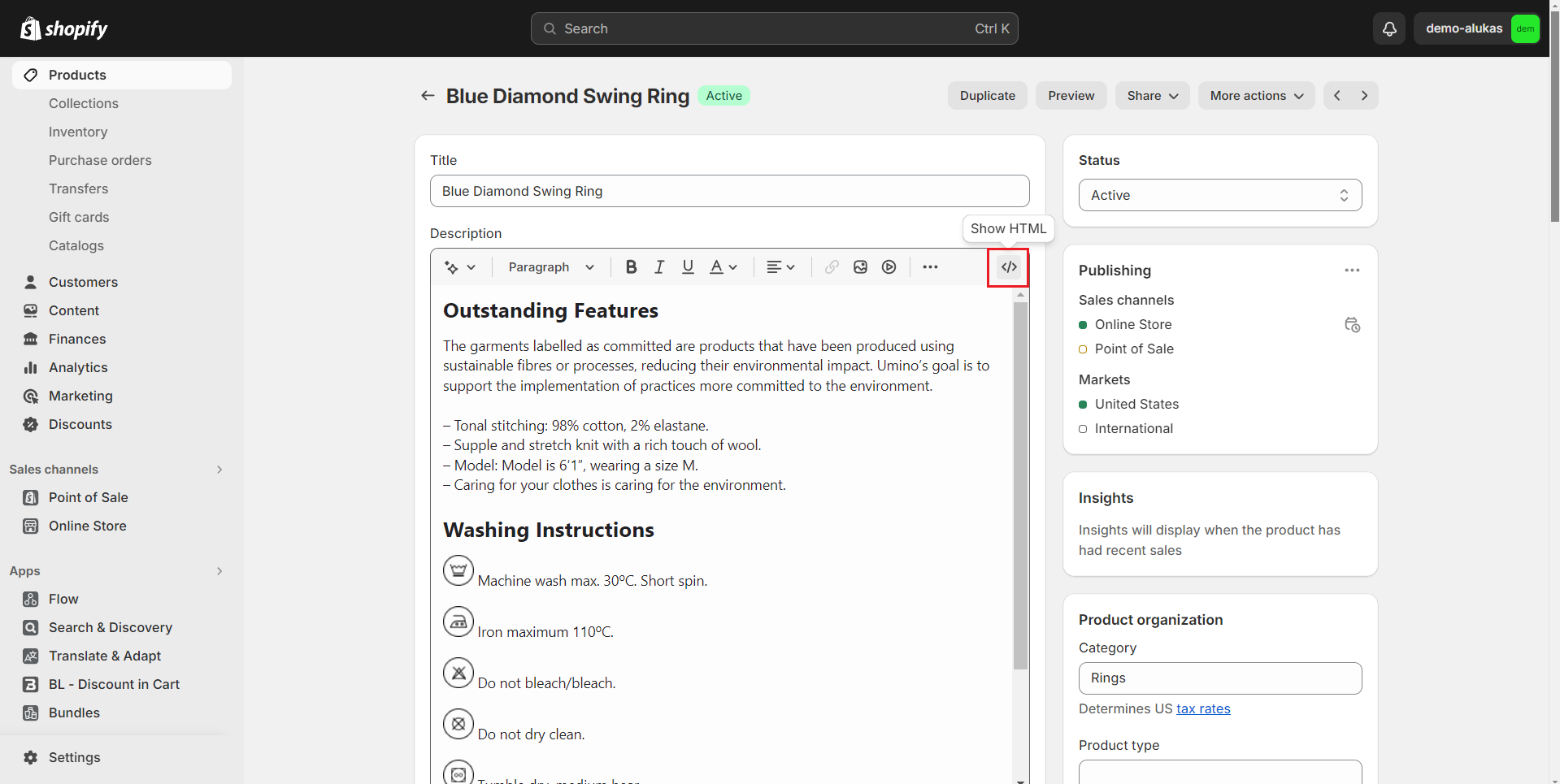
**Step 3**: **Click to block code icon to change to Show HTML**
* You need to change to Show HTML before copy template so that the content will be shown like our demo store
**Step 4: Copy the template layout you want to add and paste it into the Description**
{% endhint %}