# Subscriptions

Subscriptions feature allows you to offer recurring orders and payments, ensuring customer loyalty and consistent revenue.

<figure><img src="https://content.gitbook.com/content/z14kVz432NnMEq8AbqBr/blobs/bcWWPiLWb2yb0diTFbNV/Screenshot%202024-04-19%20163133.png" alt=""><figcaption></figcaption></figure>

{% hint style="info" %}
You need to install [Subscriptions app](https://apps.shopify.com/subscriptions-by-appstle) and activate payment methods for your shop before being able to add subscriptions.
{% endhint %}

## Set up Subscription <a href="#id-1.-set-up-subscription" id="id-1.-set-up-subscription"></a>

{% hint style="success" %}
Step:

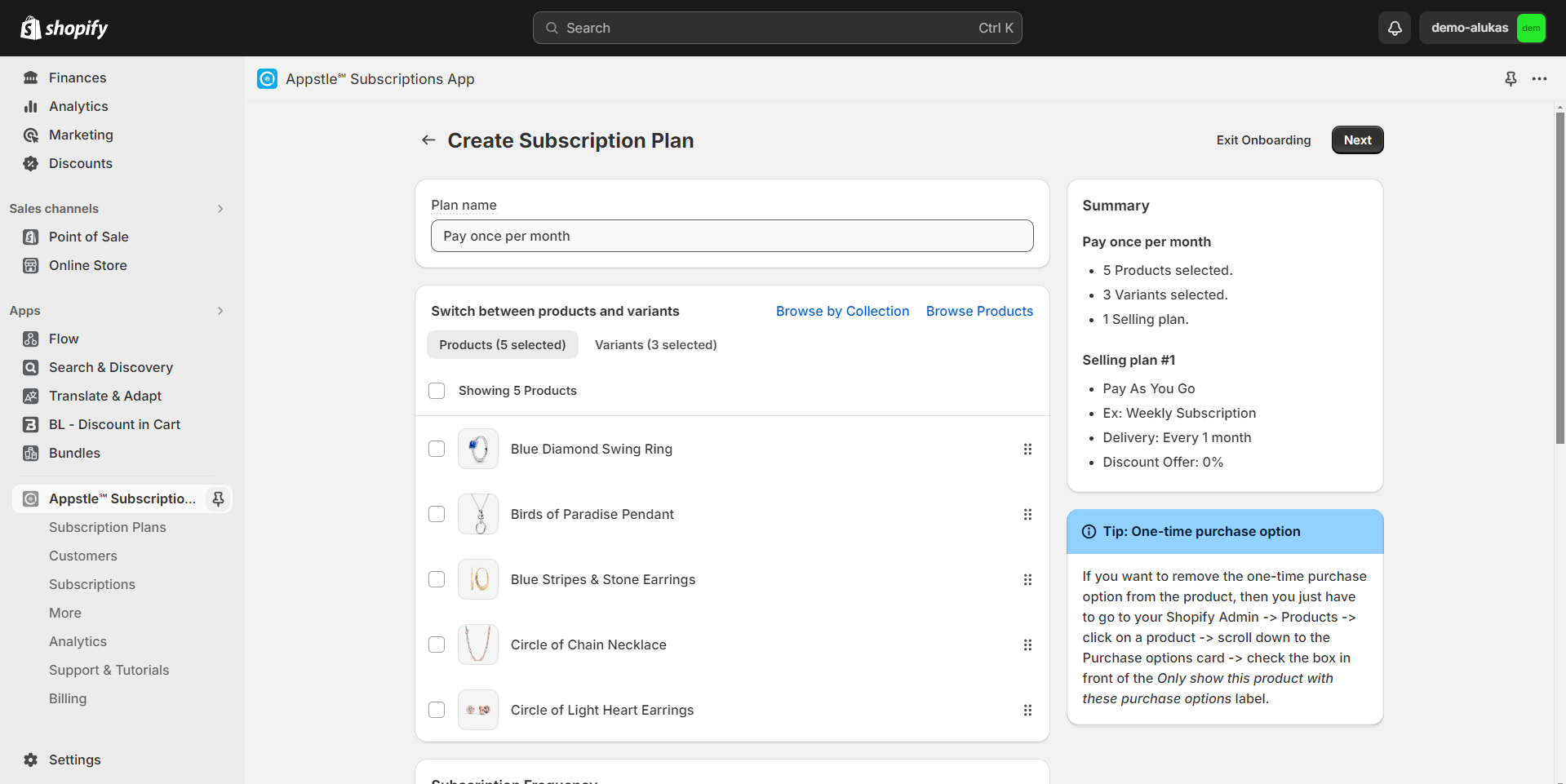
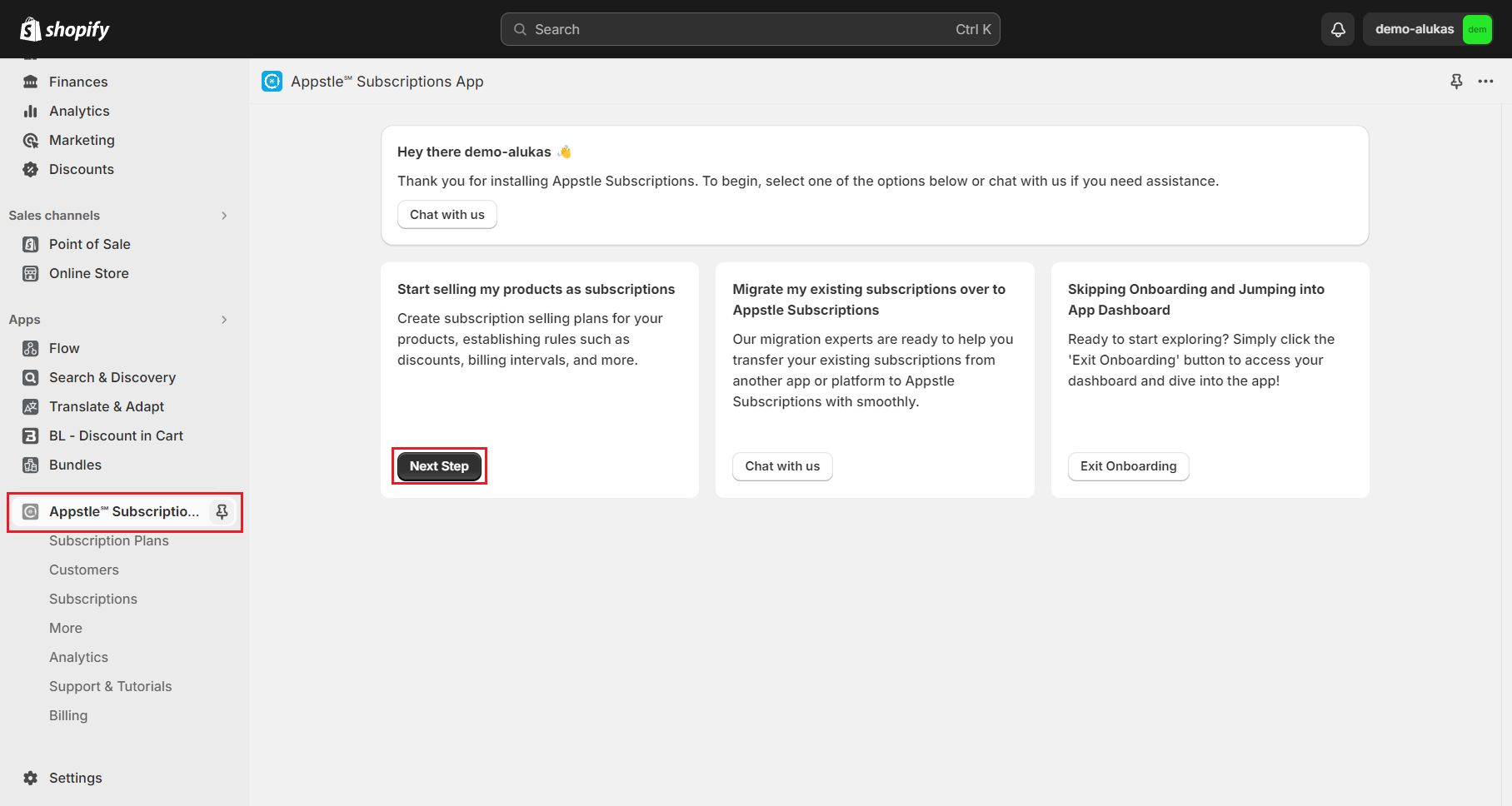
1. Go to your **Shopify Admin** and click on **"Apps"** and open the **"Subscriptions app"**.
2. Select **"Next Step"** to proceed.
   {% endhint %}

<figure><img src="https://content.gitbook.com/content/z14kVz432NnMEq8AbqBr/blobs/d9jcSyJkswaimC8C6PG5/Screenshot%202024-04-19%20161701.png" alt=""><figcaption></figcaption></figure>

{% hint style="success" %}
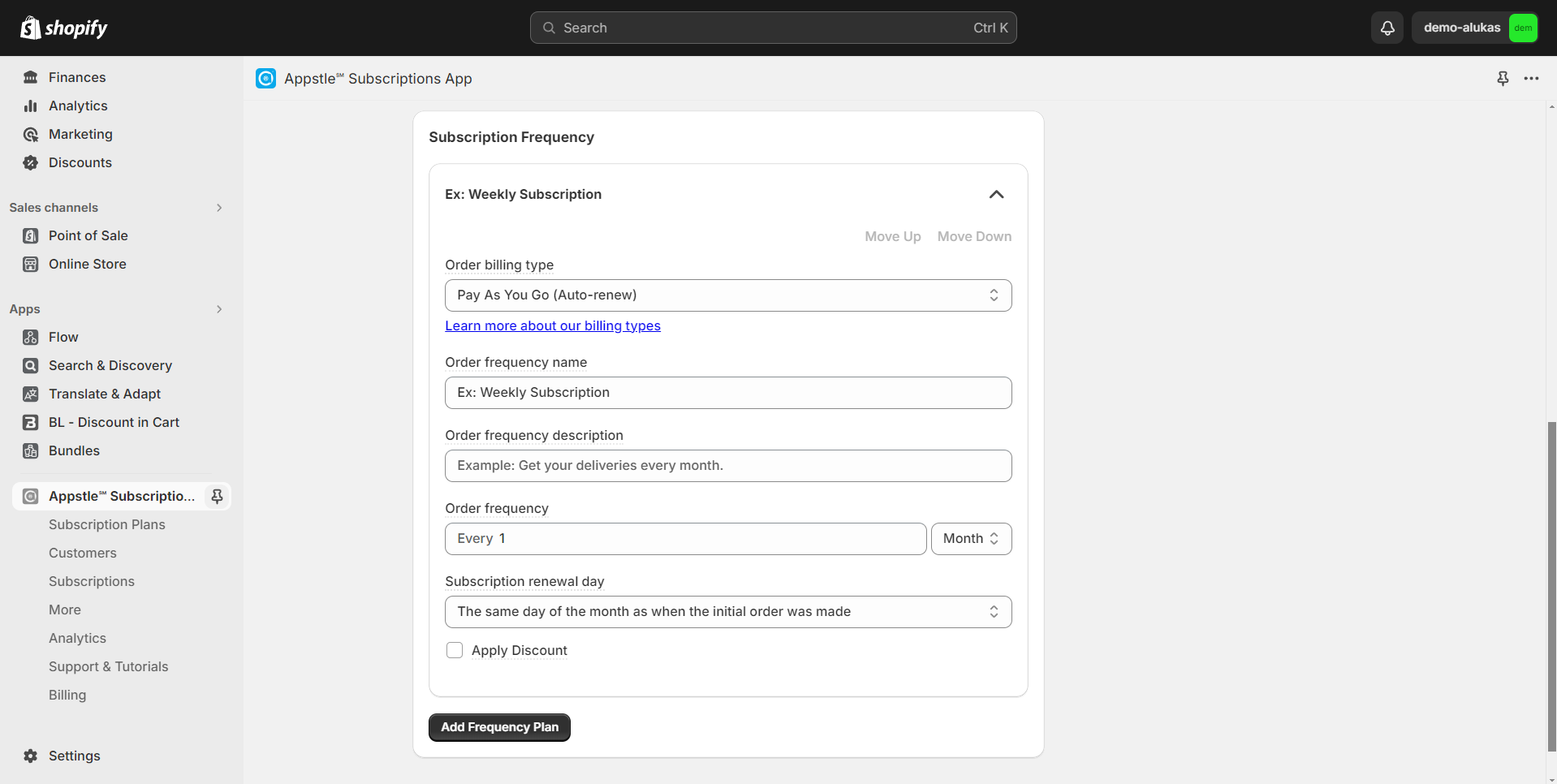
3\. Customize the subscription plan according to your preferences.
4\. Click **"Next"** to save the plan.
{% endhint %}

<figure><img src="https://content.gitbook.com/content/z14kVz432NnMEq8AbqBr/blobs/IOV3vX0FeSNdboF9BCcX/image.png" alt=""><figcaption></figcaption></figure>

<figure><img src="https://content.gitbook.com/content/z14kVz432NnMEq8AbqBr/blobs/ZSA1uees343yG2Oj00Bt/image.png" alt=""><figcaption></figcaption></figure>

{% hint style="success" %}
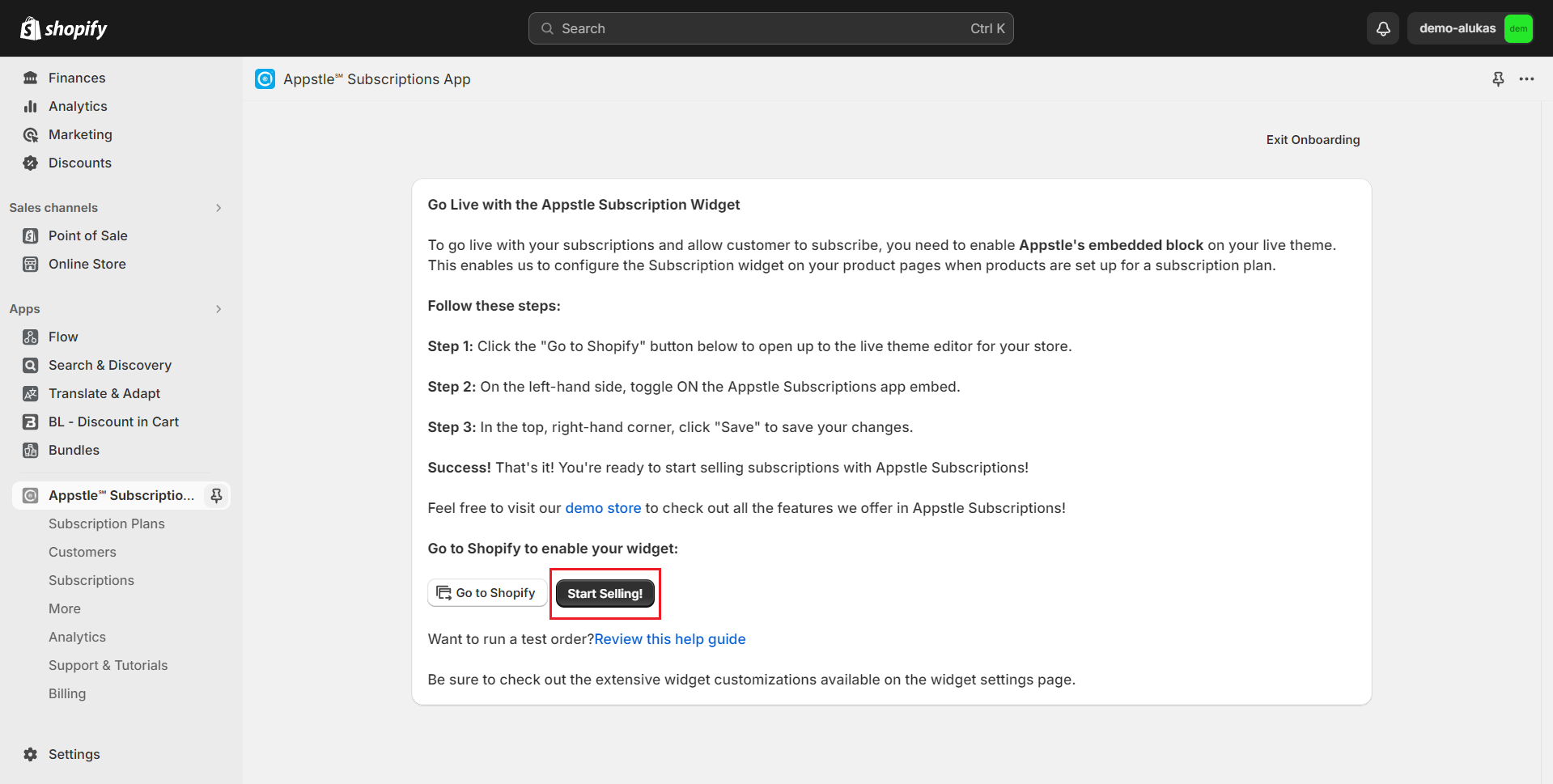
5\. **Start selling!**
{% endhint %}

<figure><img src="https://content.gitbook.com/content/z14kVz432NnMEq8AbqBr/blobs/8Du0G0FQ61JJYiW0Omvg/Screenshot%202024-04-19%20162403.png" alt=""><figcaption></figcaption></figure>

## Enable Subscription on products <a href="#id-2.-enable-subscription-on-products" id="id-2.-enable-subscription-on-products"></a>

{% hint style="success" %}
Steps

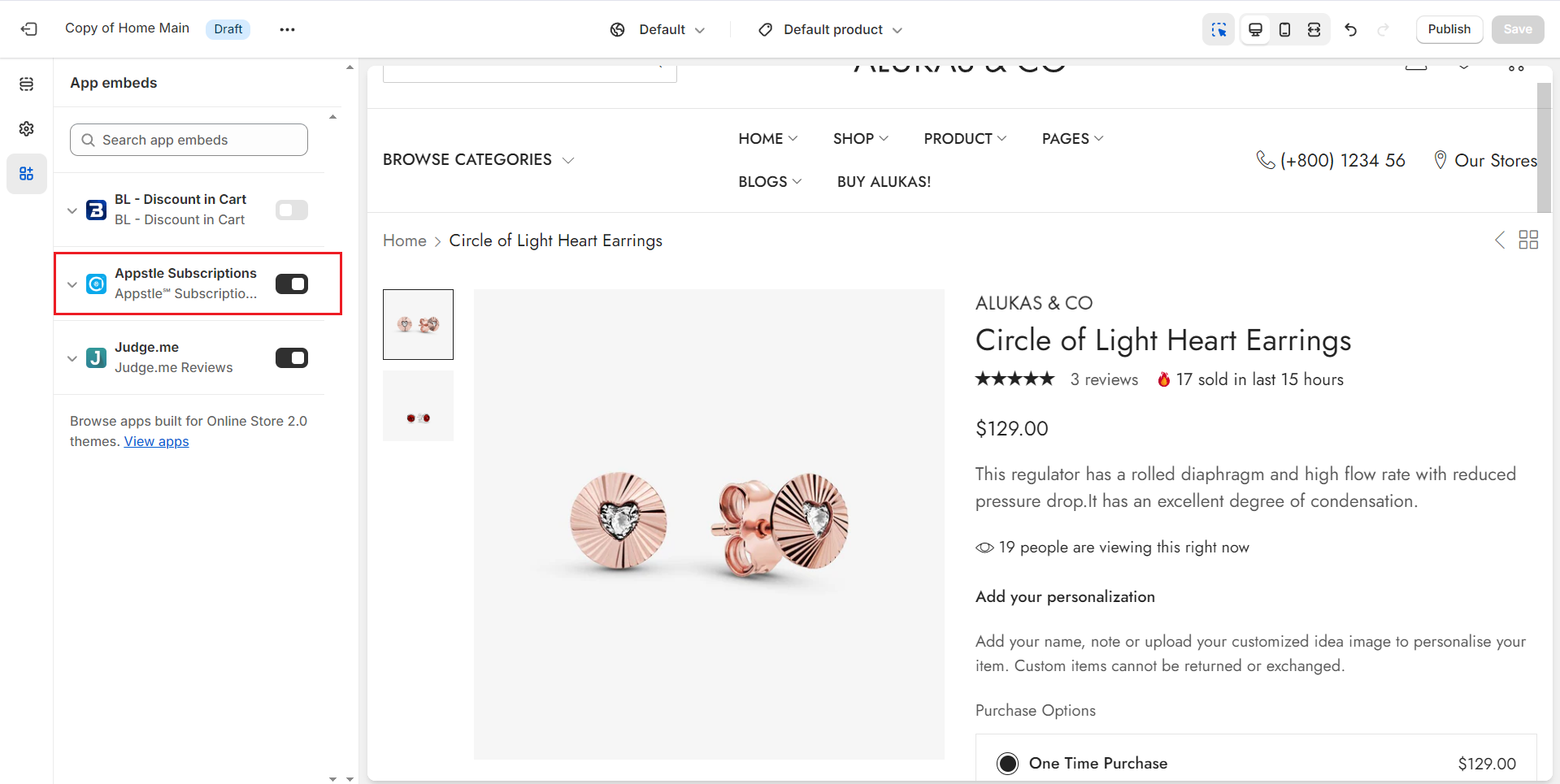
1. In the theme editor **Customize**, click **App embeds**
2. Enable **Subscriptions App**
3. **Save**
   {% endhint %}

<figure><img src="https://content.gitbook.com/content/z14kVz432NnMEq8AbqBr/blobs/G1IYxgIllI4YAQE5Rgvx/Screenshot%202024-04-19%20162628.png" alt=""><figcaption></figcaption></figure>

{% hint style="success" %}
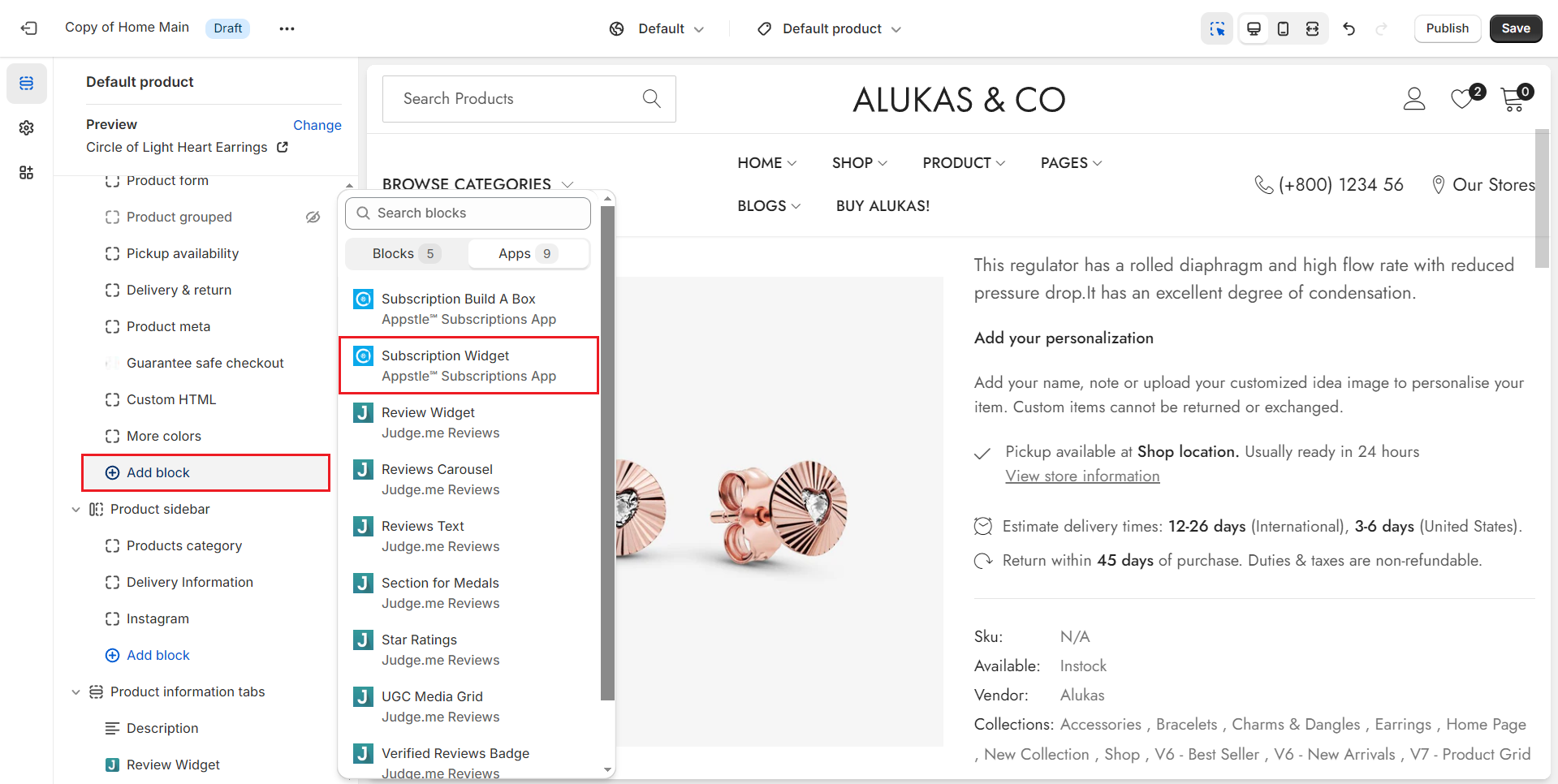
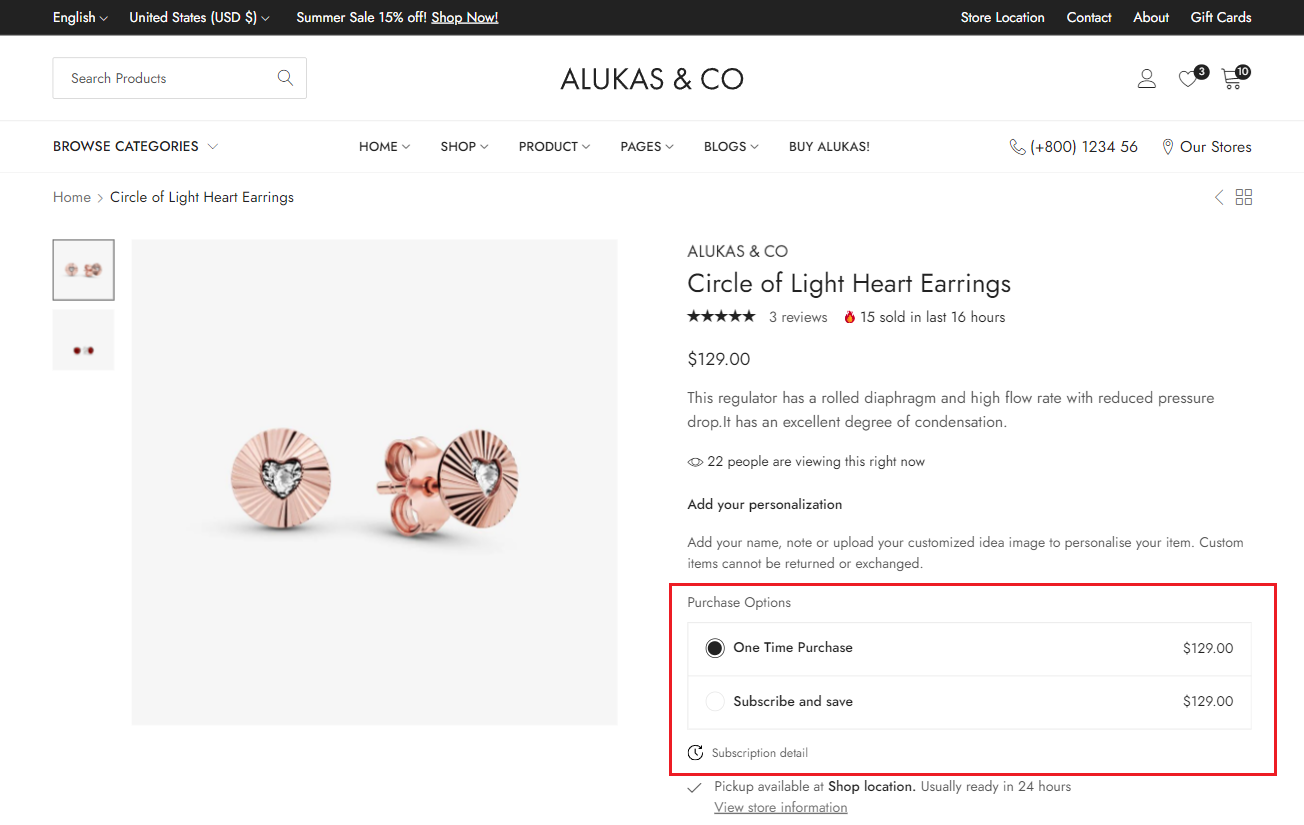
4\. Find and place the **Subscription Widget** within the **Product Summary** section.
5\. **Save** the change to complete the setup.
{% endhint %}
<figure><img src="https://content.gitbook.com/content/z14kVz432NnMEq8AbqBr/blobs/d6bJowaXuCkf15PujCVY/Screenshot%202024-04-19%20162854.png" alt=""><figcaption></figcaption></figure>